If you are looking to visit a Merlin theme park and unable to queue in a conventional queue line due to a disability then you may have heard about Merlin Ride Access Pass or RAP for short. But what exactly is the ride access pass scheme? What needs doing before your visit in order to use the RAP pass and how will ride access pass work when in the theme park? In this blog post we will explore all of the above so come on and let’s find out everything we need to know about the Merlin Ride Access Pass system!
| Chessington World of Adventures, Legoland Windsor, Thorpe Park, and Alton Towers are now all using the Ride Access Pass app. 3.2.26 I know change can be very challenging therefore I have created a social story all about the new Merlin ride access pass app that you can find by clicking here Ride access pass app social story. |
What is a ride access pass?
The ride access pass scheme is available to guests who are unable to queue in a conventional queue line due to a disability. The ride access pass means that you virtually queue for the rides and attractions. However, there is still an element of physical queuing. The ride access pass is free and must be pre book for the day of your visit. You must apply for a ride access pass at least 7 days in advance.
Before Your Visit
How to apply for a Ride Access Pass
Already have an access card: If you already have an access card with any of the following symbols on: difficulty standing, difficulty with crowds, level access or urgent toilet needs all you have to do is download the Ride Access Pass app and register. Full information can be found in the “Setting up Ride Access Pass App” section of this blog post.
Don’t have an access card: If you do not already have an access card then there are two routes you can choose from:
- You can apply for an access card. I have a full blog post all about the access card that you can find by clicking here.
- If you do not wish to purchase the access card and would only like your needs to be registered for the Merlin ride access pass system then you can do so by clicking here to fill in the Merlin ride access pass application form. If you are successful you will receive an email with an ID number on you will need this to set up your account on the ride access pass app.
Download and set up ride access pass app
Click here for an easy read version of setting up the ride access pass app.
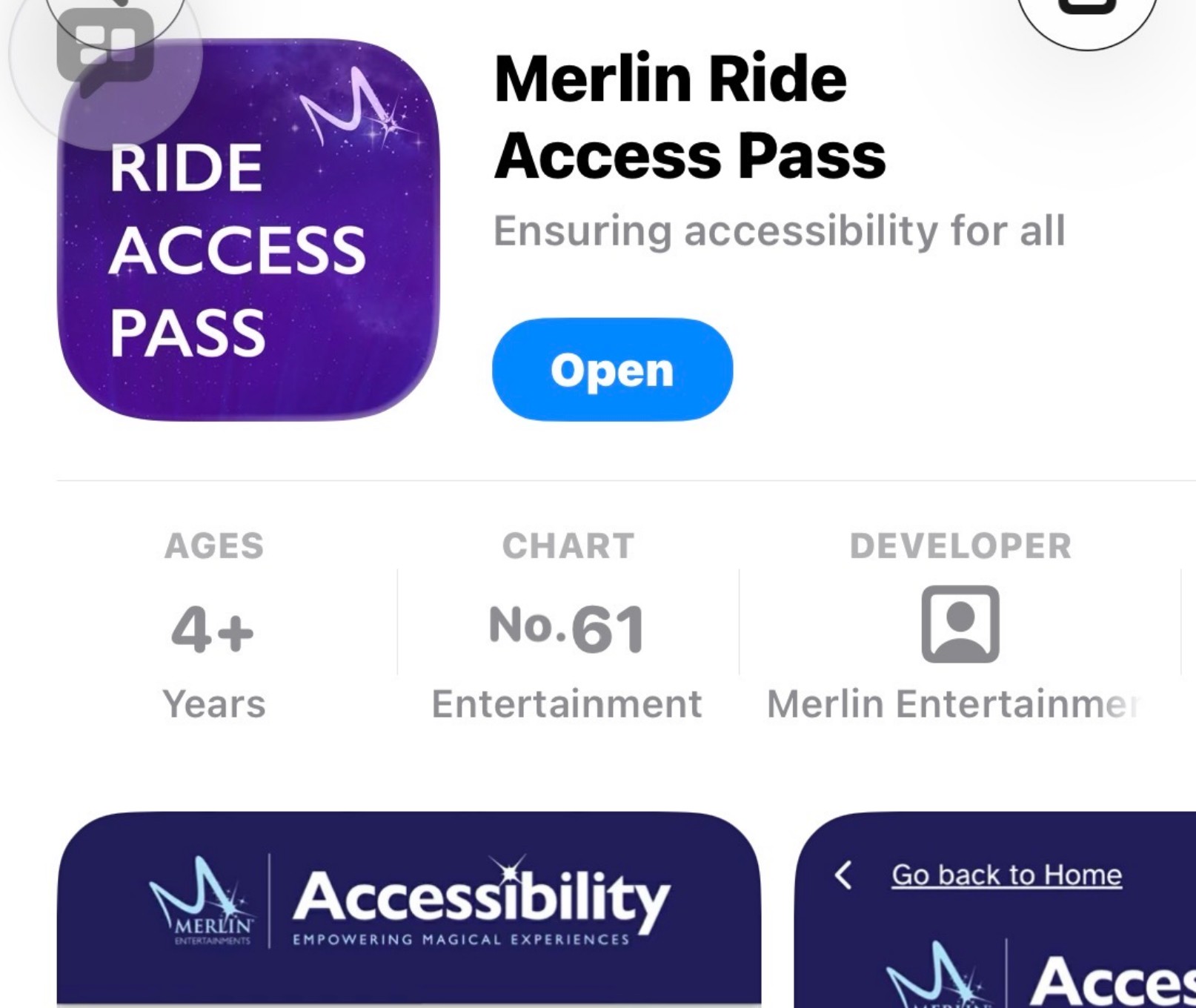
The Merlin ride access pass app can be downloaded from the App Store or Google Play.
- Download app on IOS: click here to download ride access pass app IOS
- Download app on Android: click here to download ride access pass app Android
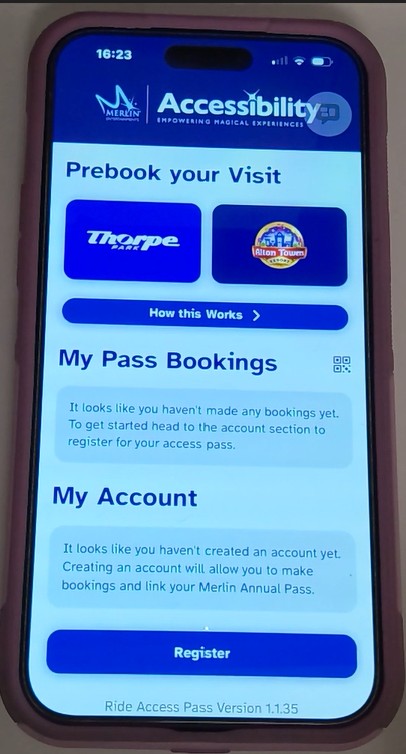
Once you have downloaded the ride access pass you need to register for an account, even if you already have an old style physical ride access pass.
It’s super simple to set your account up just click the register button and then type your name and Nimbus Access Card number. You can find your access card number on the front of your access card or if you chose an access registration with Merlin, the ID number in your email. If you are unable to find your Nimbus card ID number then you can get the number by filling in the Retrieve Card Details form that you can find by clicking here Access card Retrieve Card Details form.
Before completing your registration you will need to answer yes or no to two questions in order to determine if you get a Red or Yellow Ride Access Pass. The difference is
- Red Ride Access Pass: requires a carer to accompany you on all rides. At Chessington, Thorpe Park and Alton Towers, the carer must be aged 14 years or older. At Legoland the carer must be 16 years or older.
- Yellow Ride Access Pass: can ride alone.
That’s all you need to do to set up your Ride Access Pass ID. Your digital ride access pass will now be added to the apps home page.
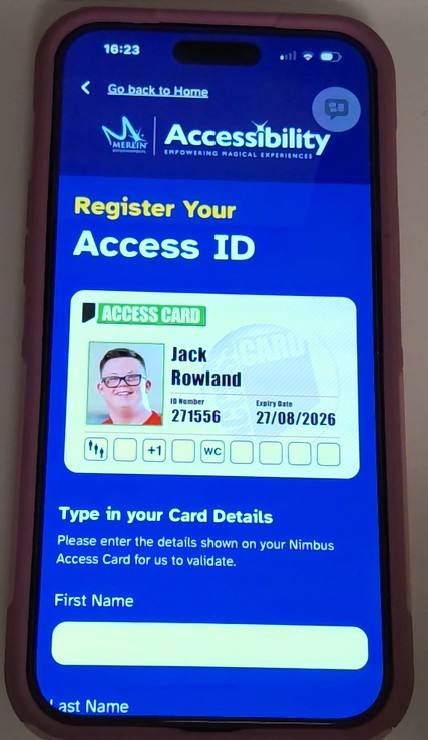
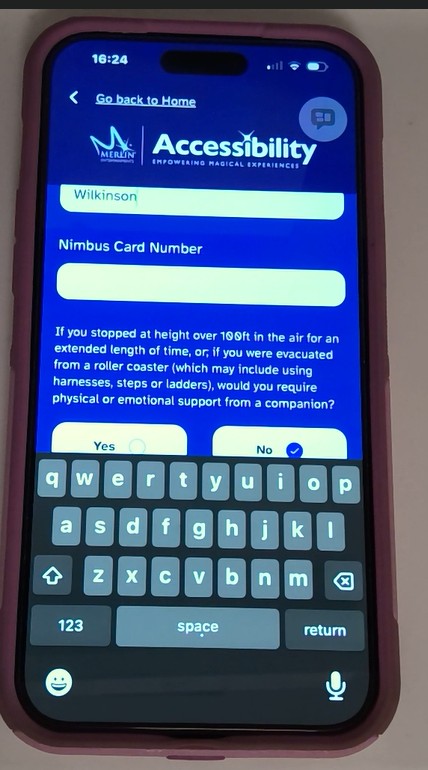
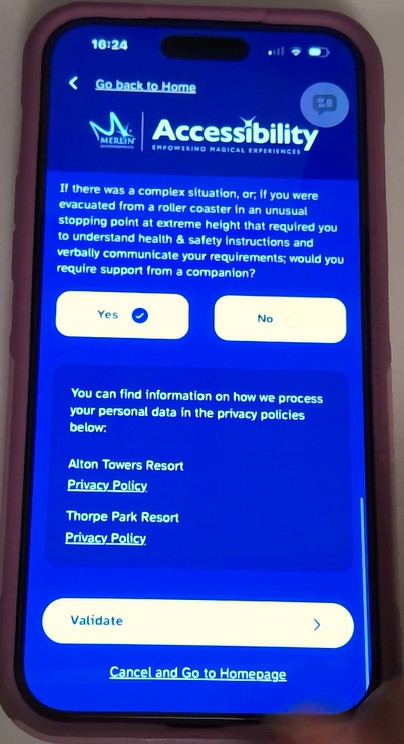
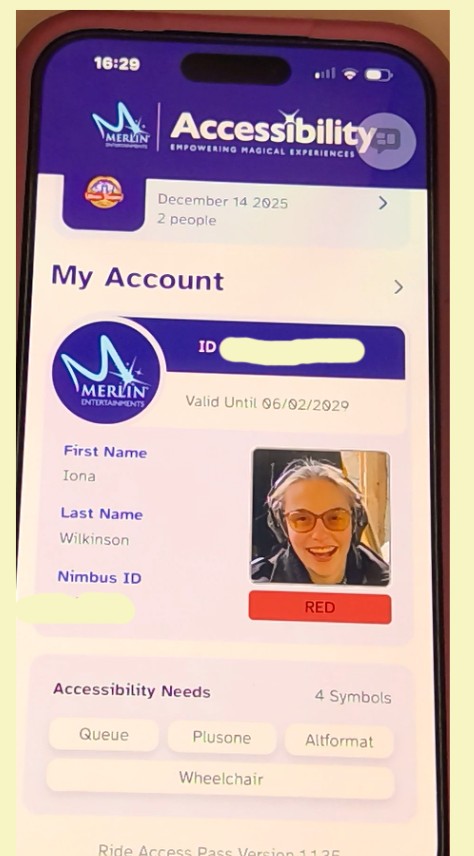
Pre-book Ride Access Pass for the day of your visit
Due to increasing demand and to ensure guests get the most out of using the ride access pass all ride access pass users are required to pre book to use their rides access pass on the day they are visiting the theme park.
Guests can book a maximum of 3 days at a time at each theme park. For example, The maximum bookings you could have at one time is 3 ride access pre books for Chessington, 3 ride access pre book for Legoland, 3 ride access pre book for Thorpe park and 3 ride access pass pre books for Alton Towers.
A ride access pass pre book does not include admission to the theme park. Therefore, you will need to book theme park tickets or pre-book your Merlin Annual Pass separately.
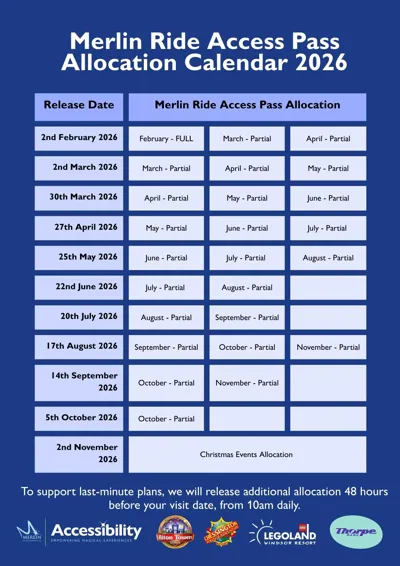
Merlin will be releasing allocation for their ride access pass system on set dates as shown in the calendar below. But don’t worry if the ride access pass pre books are full for the day of your visit as more ride access pass spaces will be released 48 hours (2 days) before your visit at 10am.
How to pre-book a ride access pass reservation in the app
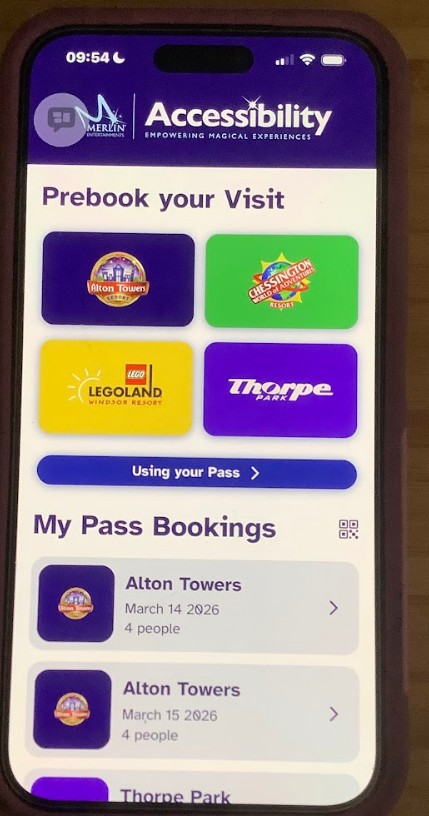
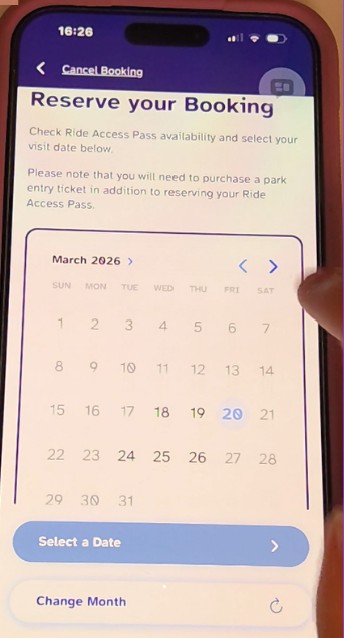
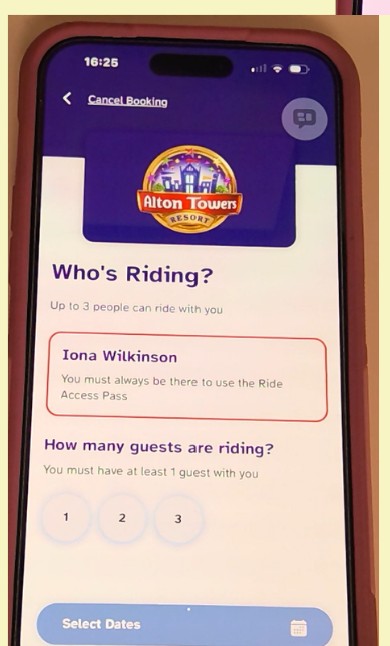
You can pre book the day you would like to use your ride access pass by clicking theme park you would like to visit. You will then need to select the number of people coming with the ride access pass user. You can select a maximum of 3 people this does not include the ride access pass holder so would be max 4 of you in total. If the ride access pass user has a red ride access pass they must have at least 1 guest riding with them. You can then select the date you would like to use your ride access pass.
How to import an existing ride access pass pre book into the app
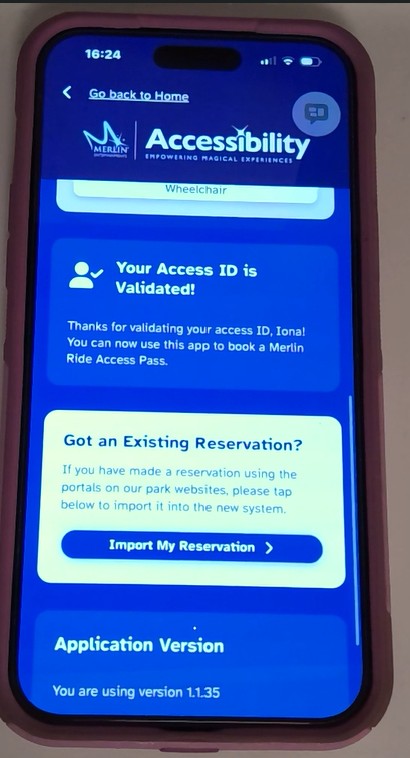
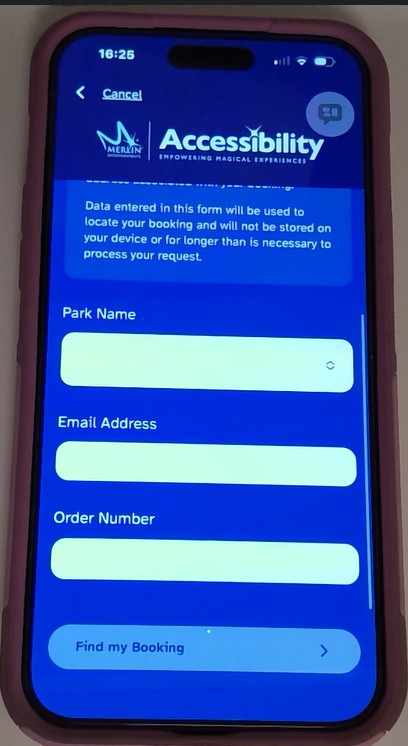
You may already have pre booked some visits using the old ride access pass booking system. In order to use these bookings you need to import them into the app.
Click here for an easy read version of importing existing booking into the ride access pass app.
You can import an existing reservation by clicking on my account on the home page and selecting import my reservation. You will need to enter the email address you used to pre book your ride access pass reservation as well as the pre book order number. The ride access pass pre book order number would have come from the email address noreply@accessoticketing.com. Once you have entered your order number and email address in the app you will then find the booking and add it to the my pass booking section of the ride access pass app.
Cancelling a ride access pass pre book in the app
Click here for an easy read version on how to cancel your ride access pass booking in the app.
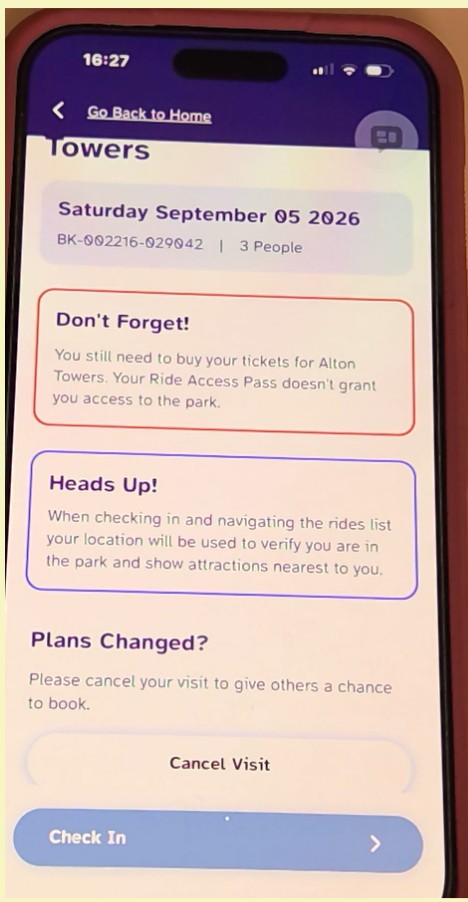
It’s now very simple to cancel a ride access pass pre book if your plans change meaning you are unable to visit the park on the date you pre booked. You can cancel a ride access pre book in the app by clicking on the visit date you would like to cancel and selecting cancel booking.
At The Theme Park
Click here for an easy read version on how to use the ride access pass app on rides.
When you arrive at the theme park you will click your pre book for that day and select check in. All you need to do is select the ride you would like to go on. You can go on your first ride without a timeout you will be timed out after all other rides for the length of the main queue. Please see my step by step guide below of how ride access works at the rides:
How Ride Access Pass Works on rides and attractions
When you arrive at the theme park you will click your pre book for that day and select check in. Then select the ride you would like to go on first and scan the QR code at the ride access pass or step free entrance. You will be timed out after each rides for the length of the main queue. The prosses is exactly the same at Chessington, Legoland Windsor, Thorpe Park and Alton Towers. Please see my step by step guide below on how the ride access pass system works at rides.
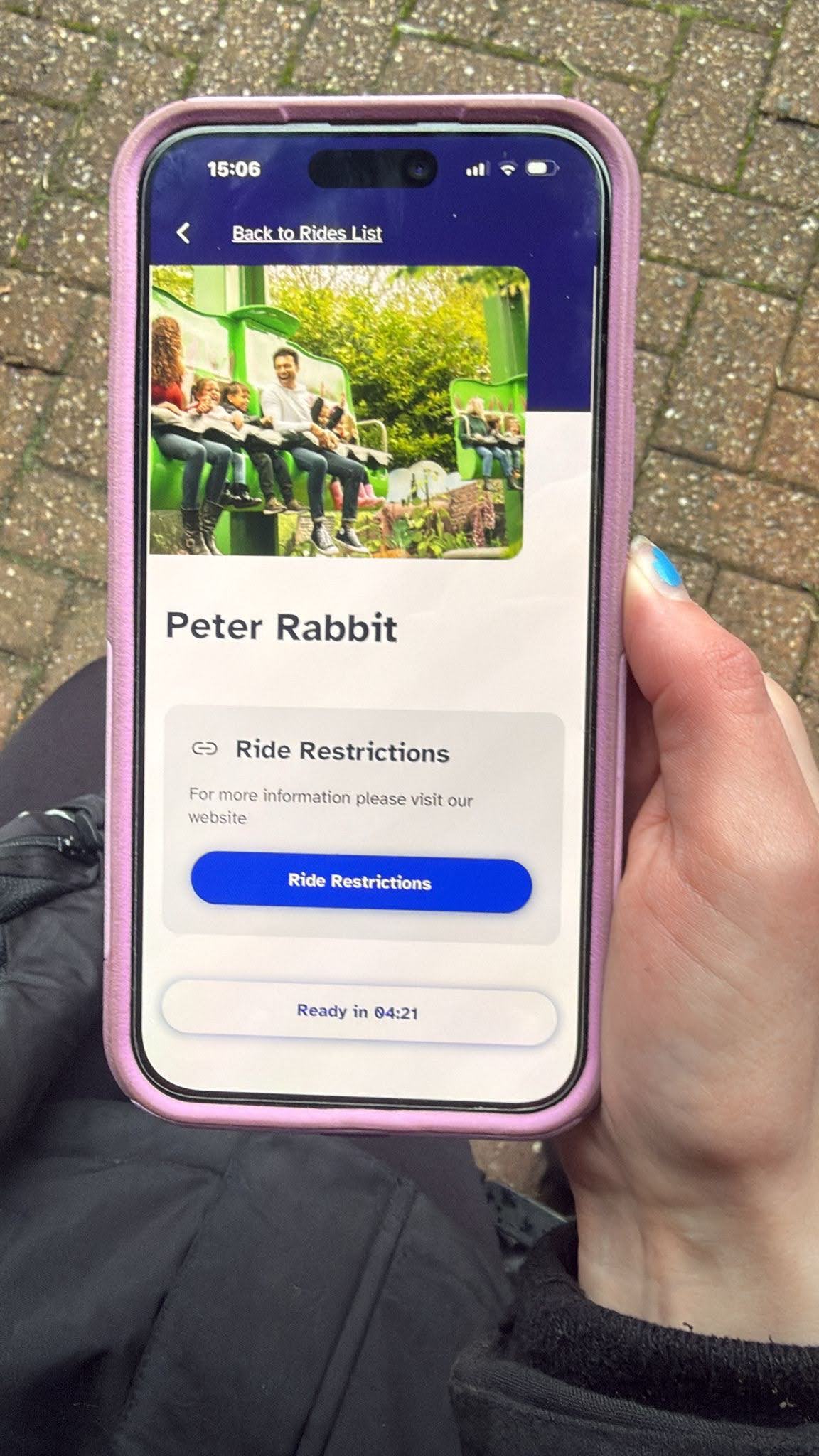
Step 1: check ride restrictions and book ride
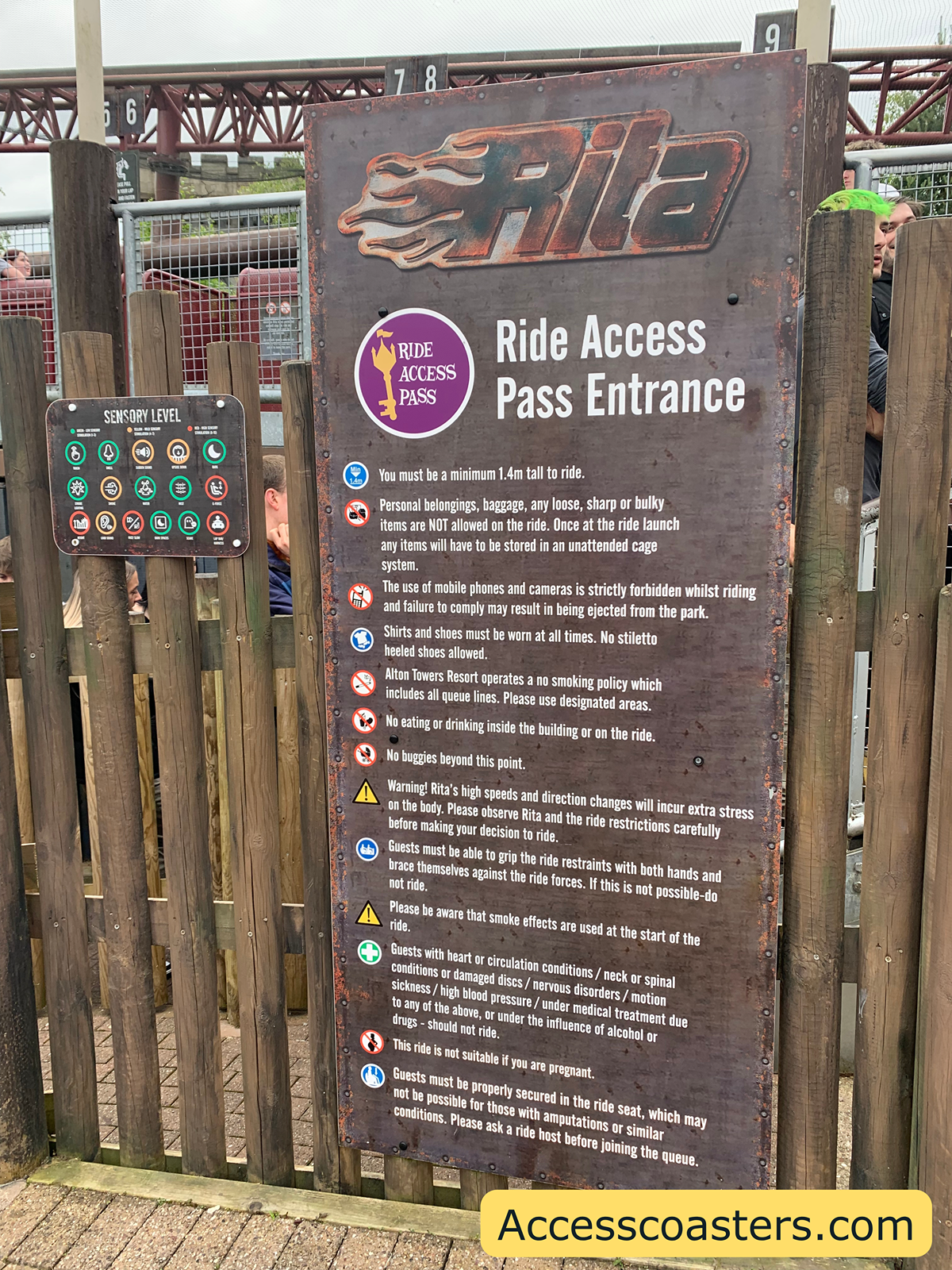
On the ride access pass app you can see all of the rides available and there queue times. Before selecting a ride make sure you have checked the ride restrictions to ensure the ride or attraction is accessible for you. This can be found by clicking on your chosen ride and scrolling to the bottom. Ride restriction and sensory boards are available at the entrance to each ride and attraction.
Now you know the ride is accessible for you simply select the ride of your choice.
Step 2: Find ride access pass or step free entrance and scan in
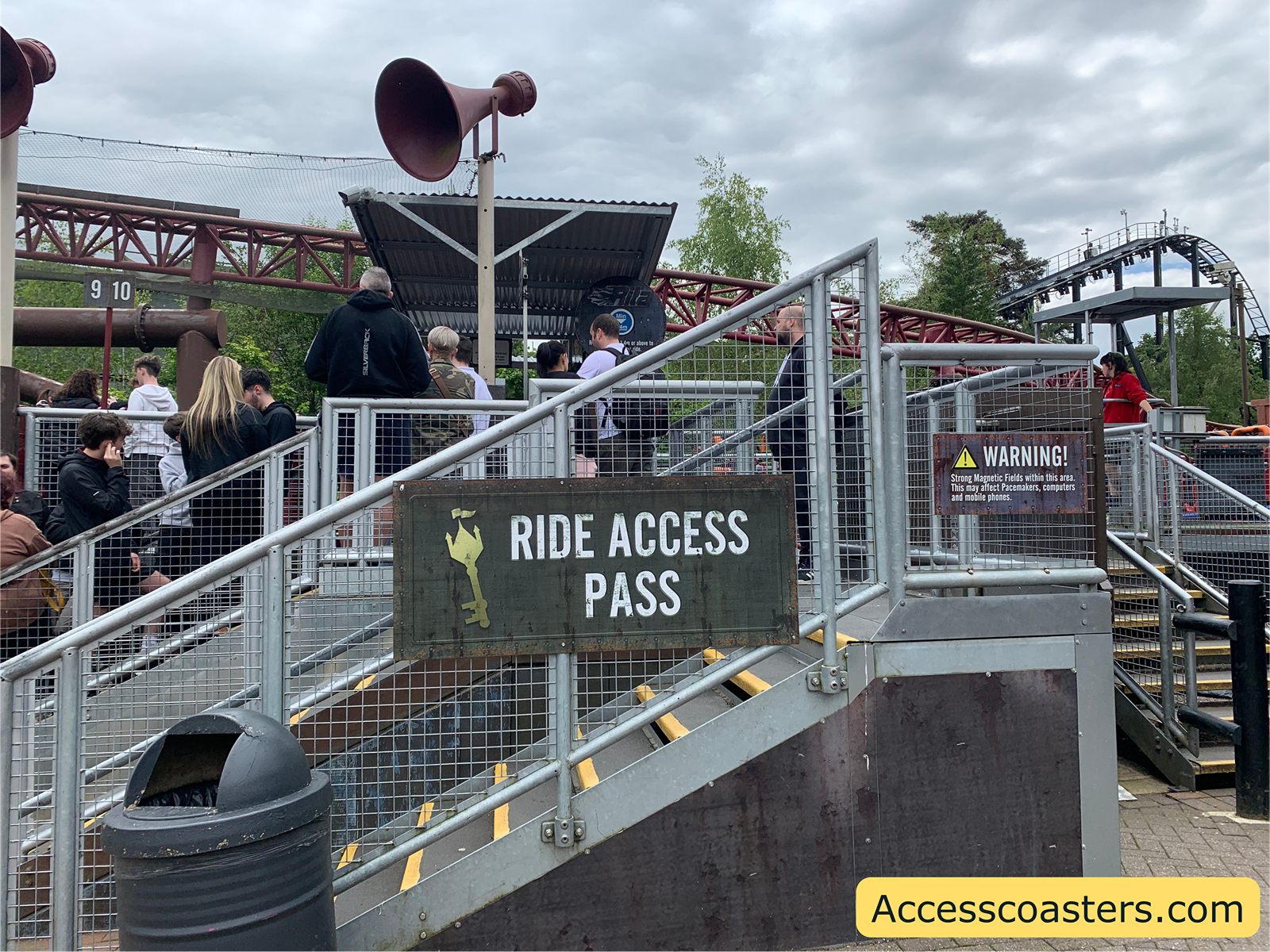
Now you have found out the ride is accessible for you it’s time to locate the ride access pass entrance for the ride you would like to enjoy. The ride access pass entrance can be found by the sign saying ride access pass. The entrance for ride access pass users is normally located not to far away from the main queue. You can find the location of the ride access pass and step free entrance for each ride by clicking here Alton Towers Accessibility Flashcards.
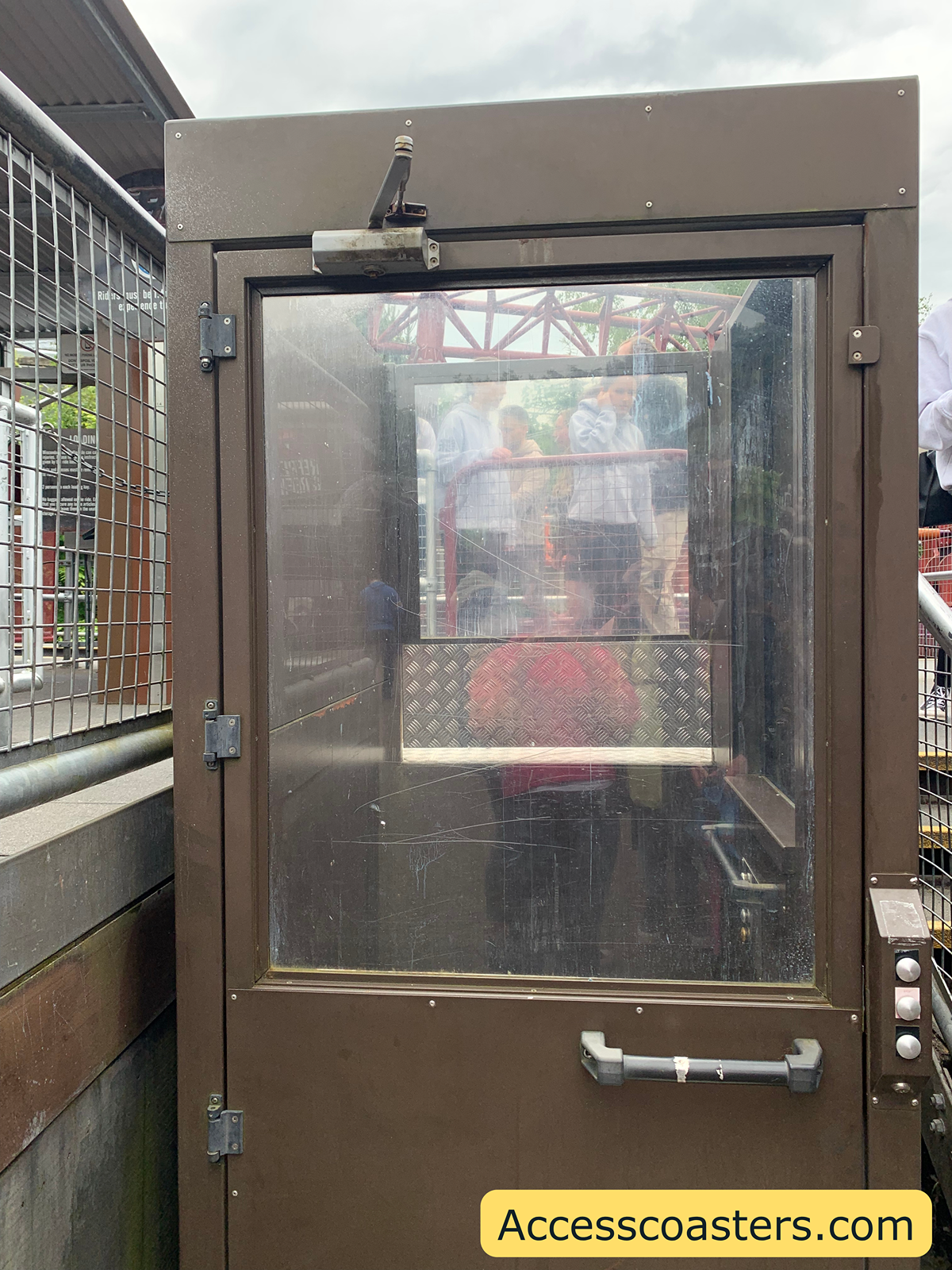
For some rides and attractions the ride access pass queue line isn’t wheelchair friendly. The vast majority of rides at Alton Towers have a step free option available for guests that require level access, as you can see for Rita there is a lift. If you require step free access you may go in a different entrance to the ride access pass.
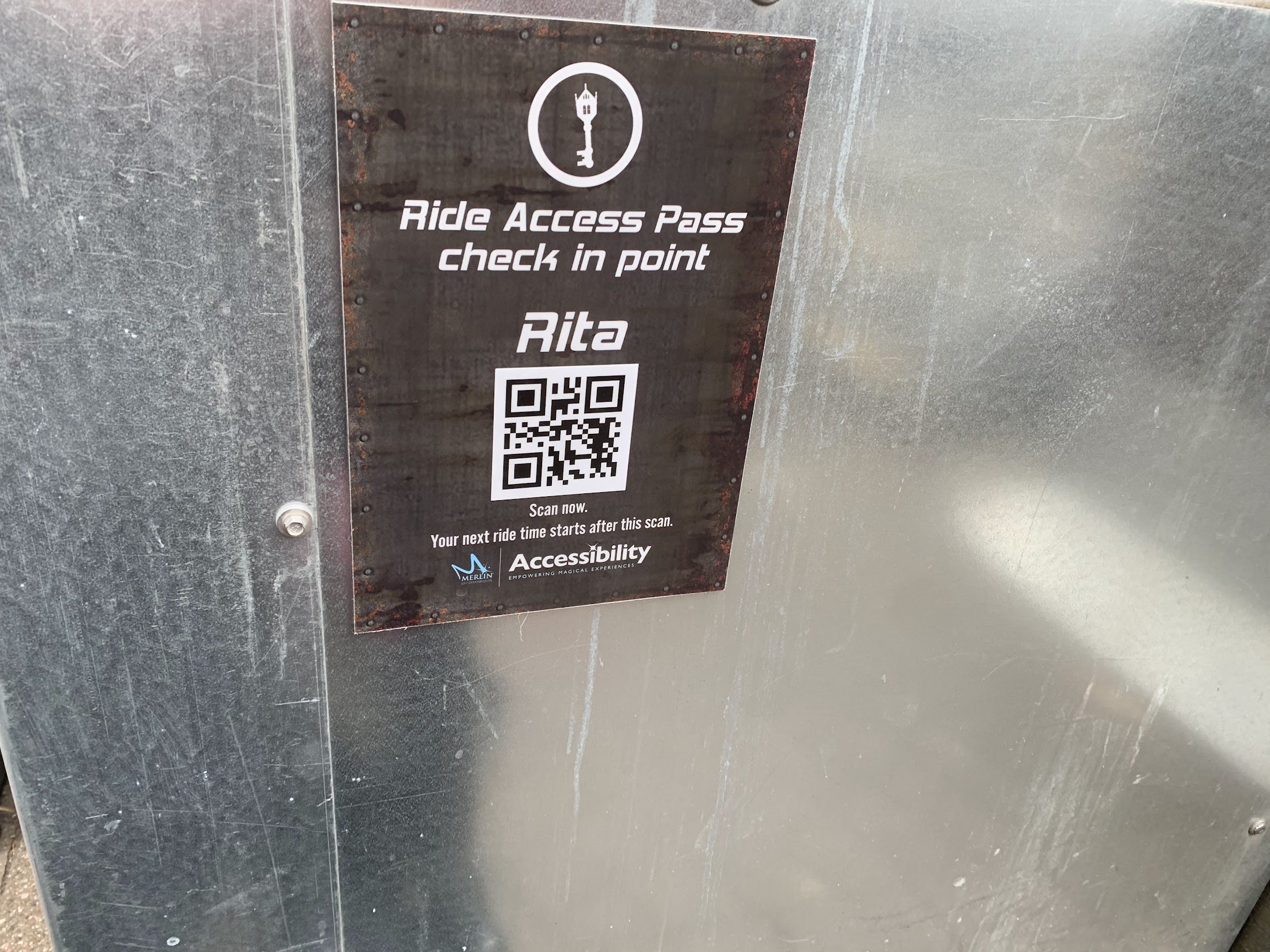
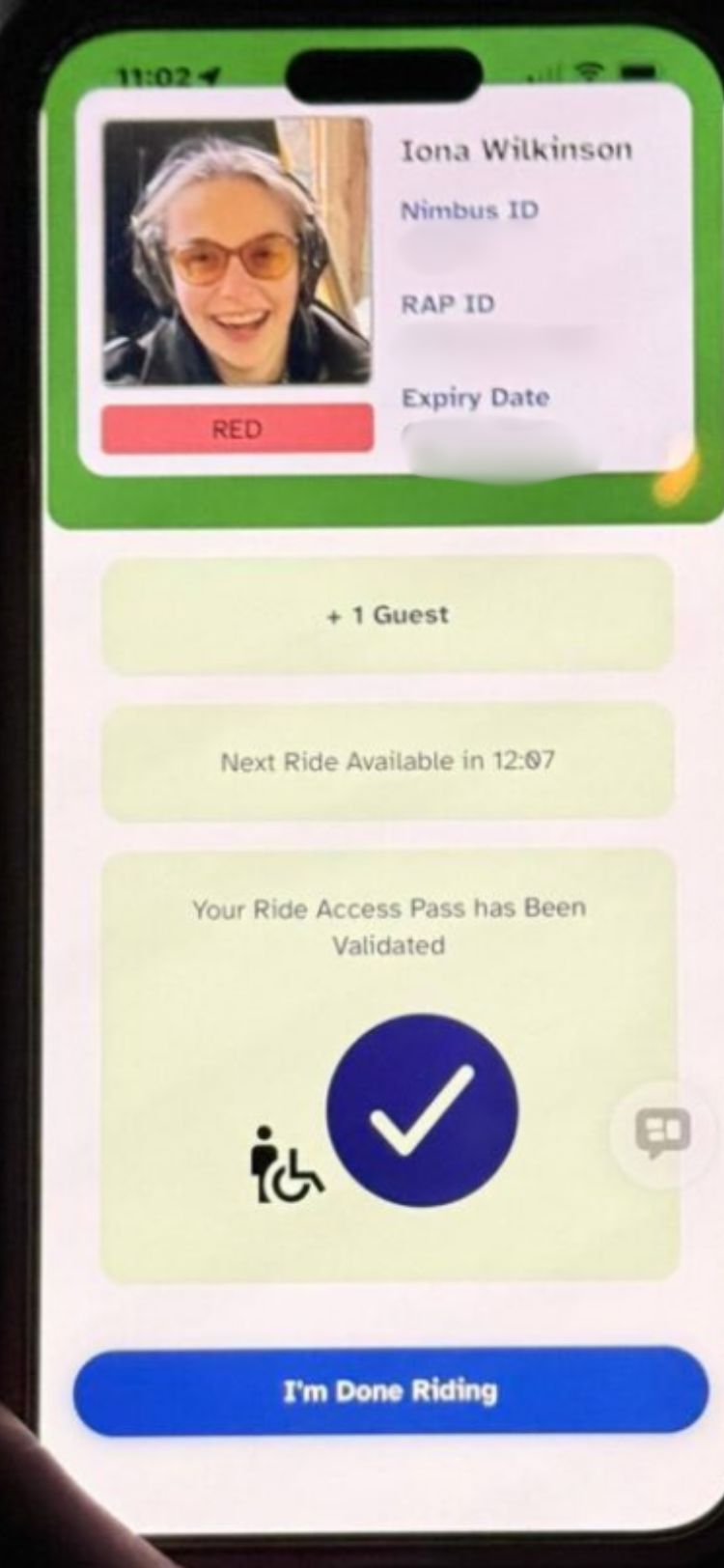
At the entrance to the ride access pass or step free queue for each ride and attraction there is a QR code. In your app you have already selected your ride. Now you can scan into the ride by scanning the QR code in the app. This will start a countdown for the length of the main queue line.
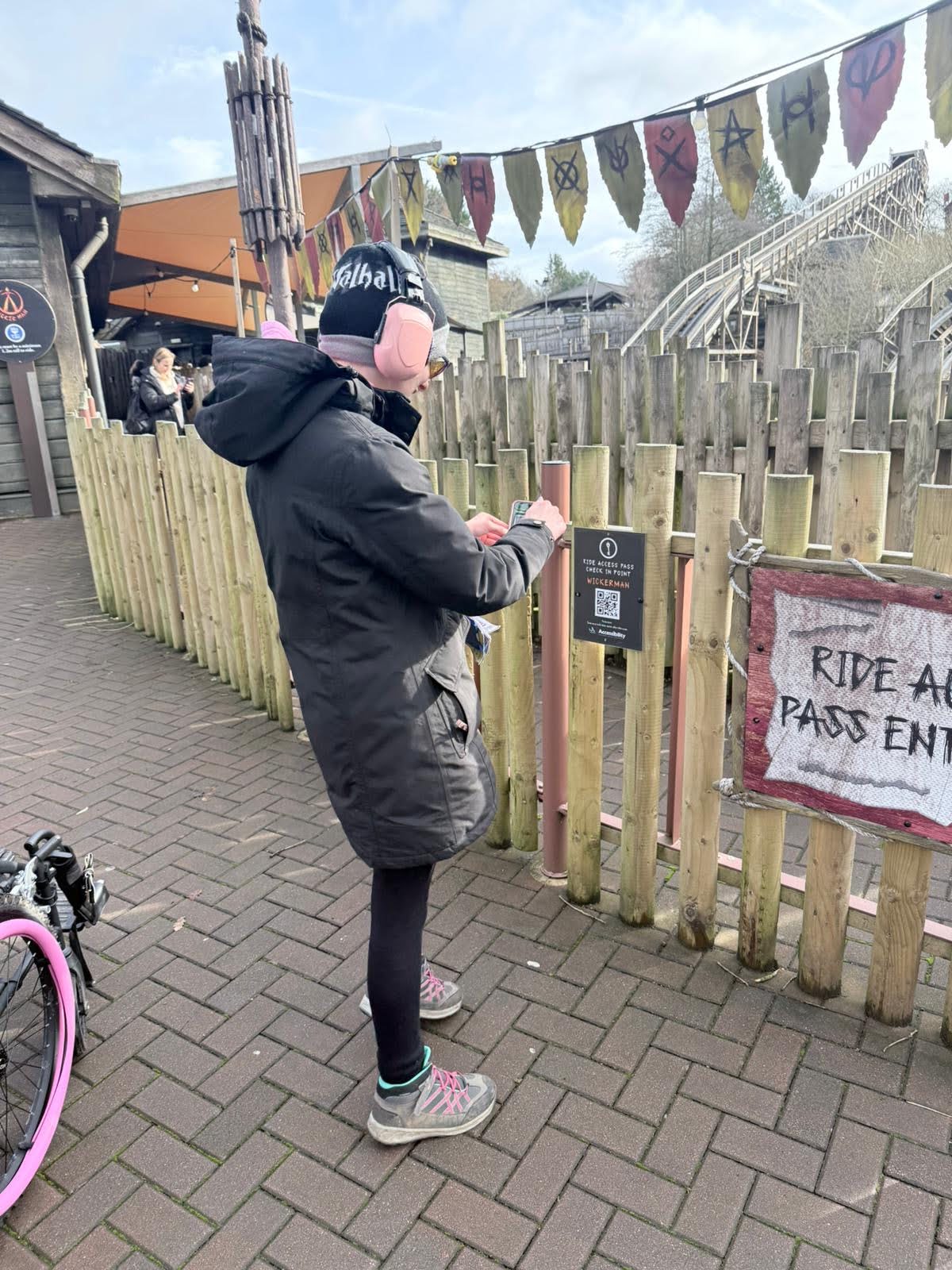
Step 3: Show your ride access pass app
Once you reach the front of the ride access pass queue line for your chosen ride a ride host will come and check your ride access pass app. They will check your ride access pass ID card to confirm it is you and check that you are scanned into the correct ride.
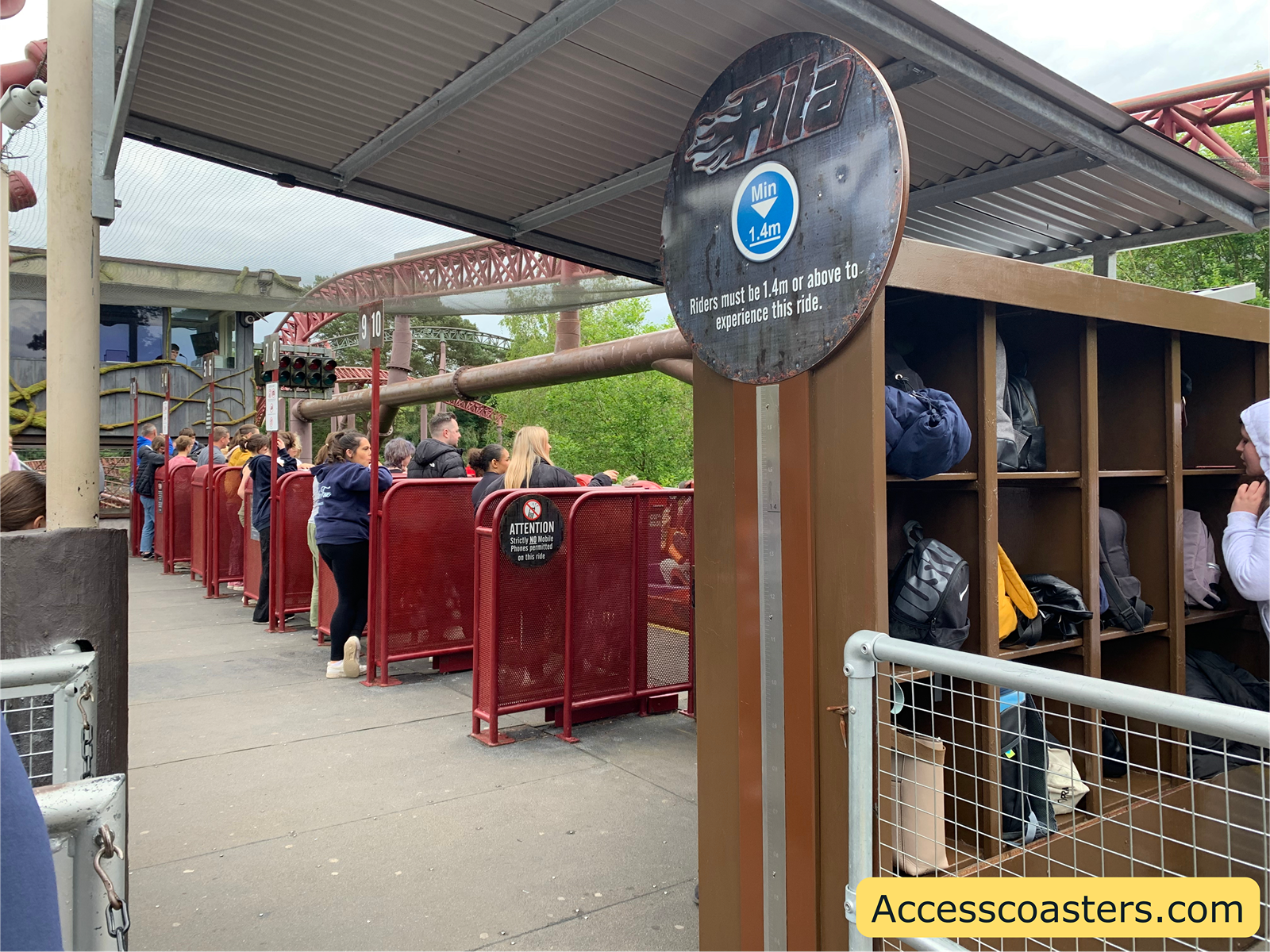
Step 4: Enjoy the ride
It’s now time to experience your chosen ride! I hope you enjoy being able to access the ride thanks to the ride access pass system.
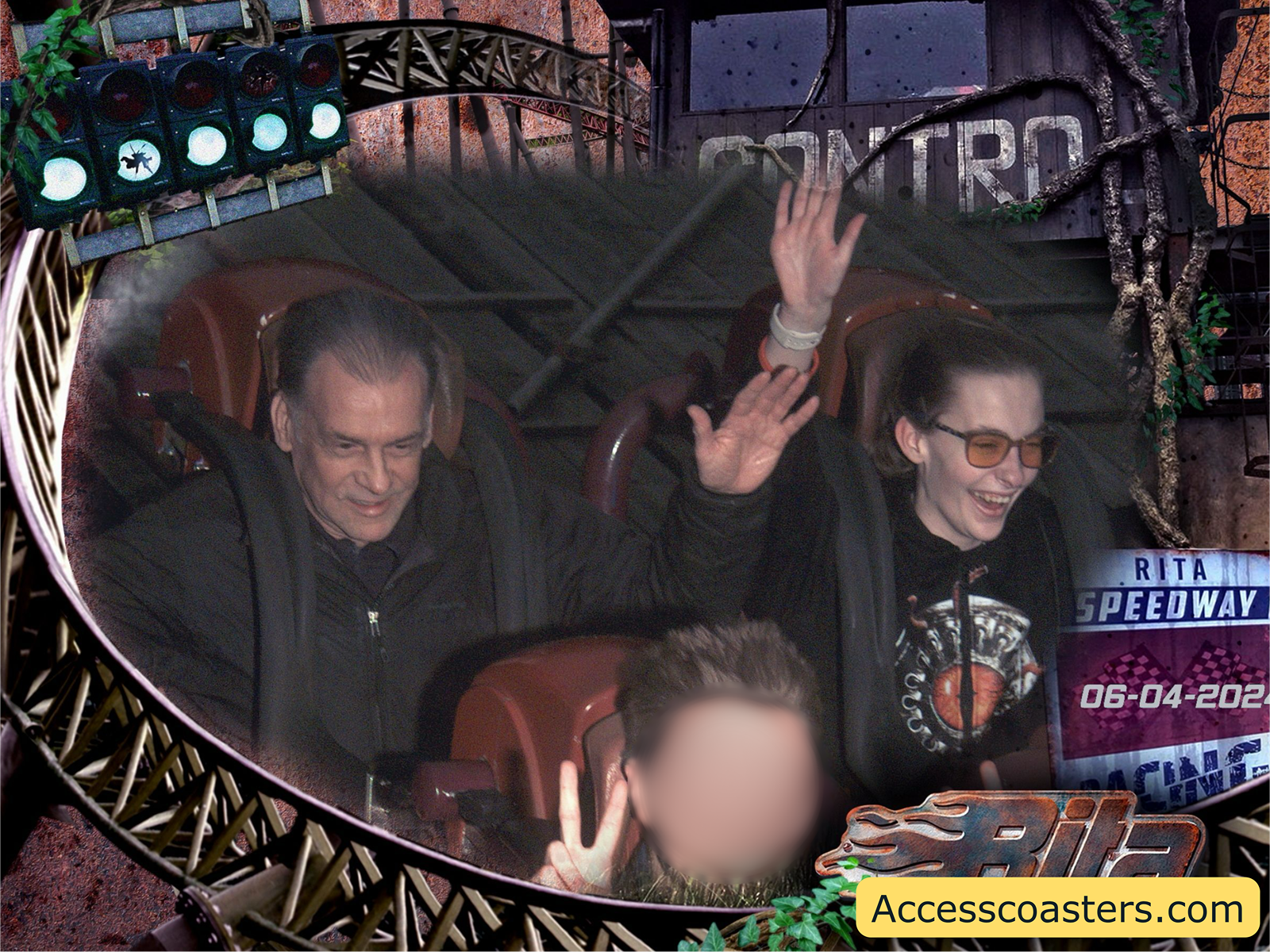
Step 5: Relax until your timeout is finished
Once you have experienced the ride of your choice, simply press the finish ride button. It’s time to take a break and re-regulate until your countdown is over. Once your countdown has finished you simply repeat the process with another ride or attraction.
Top tip: look on the ride access pass app to see what rides have a long main queue time so that you can do a ride with a long main queue before your lunch or dinner. This allows you to be virtually queuing whilst having your lunch or dinner, maximising your day at the theme park.
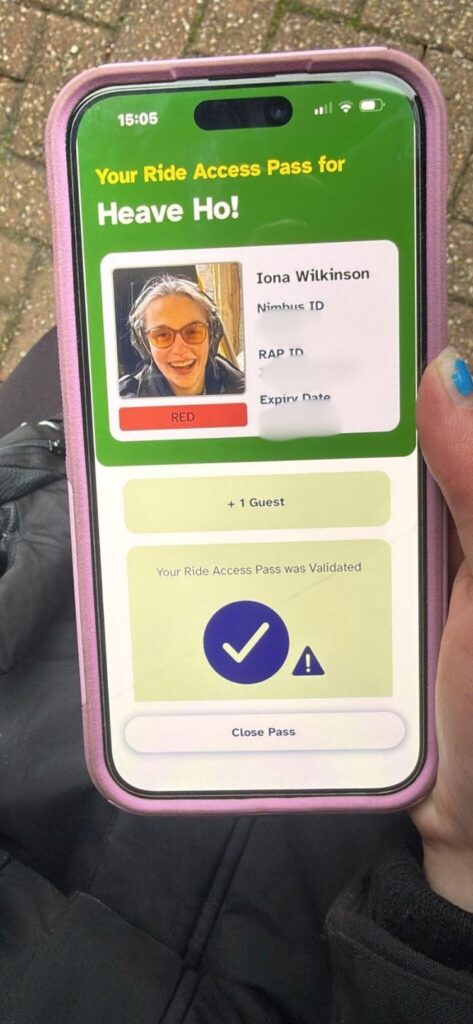
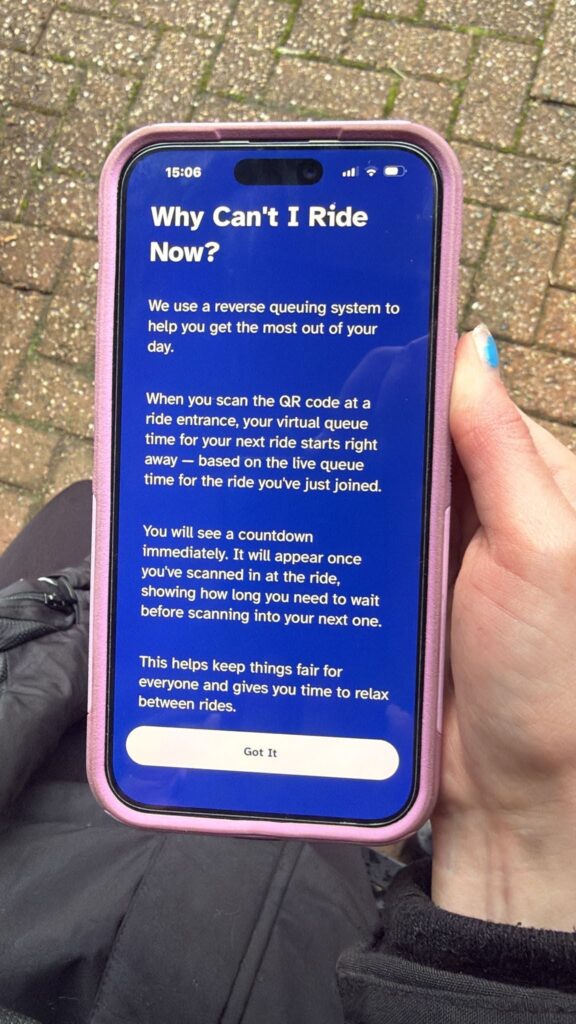
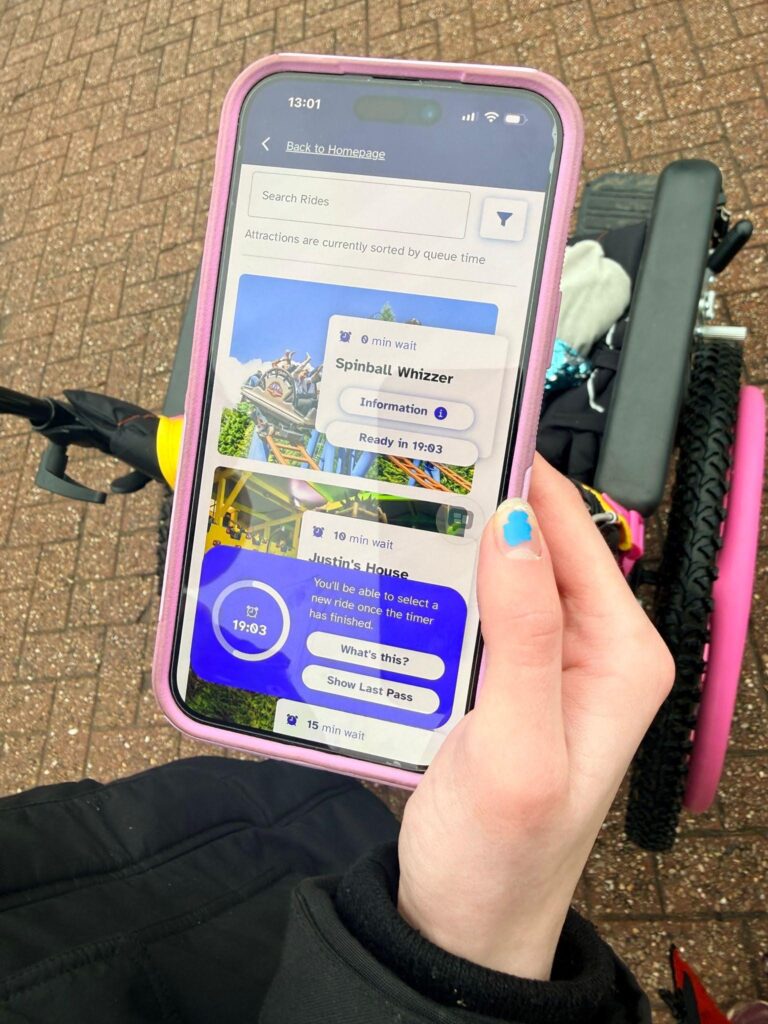

Final Thoughts
Well that’s everything you need to know about the brand new Merlin ride access pass app! I have used the app on my last few visits and it has worked very well. I am very excited to see Merlin being so innovative with their accessibility. See you on my next theme park trip, bye for now.
6 Comments
Hi Iona. Thanks very much for taking the time to explain all this in detail, it’s super helpful. I haven’t used this system yet and am still a little confused, when I arrive at the park and click sign in, do I go to the first ride I want to do without having to scan the QR code, and go straight in – or do I click the ride and get a time to turn up? It might be helpful to let readers know they have to at least apply for a free Merlin Access Card before going, they can’t just use the Ride Access Pass on the app. Thanks lots, Matilda 🙂
Hi thank you for reading!!
To go on your first ride you will scan the QR at the rides entrance and get straight on via the ride access pass or step free entrance. When you scan the QR code it will start counting down the time of the main queue this is the time you can go on your next ride. All your time out are after the ride you do not get given a time to turn up as long as you have no countdown on your app from a ride you have already done you can go on a ride whenever you want by going to ride access pass entrance and scanning the QR code. Hope this helps to answer your question if you have any more questions please feel free to get in touch. Thank you, Iona
The question is what happens if a ride is closed and you decide to wait in the queueline does this make sure the timeout is fair etc.?
Hello thank you for reading if a ride closes whilst you are in the queue then you will be asked if you want to leave the queue. If you do choose to wait then your timeout keeps counting down whilst the ride is closed/delayed.
I am waiting for new dates for August to be released but the screen I’m on when you select refresh tells me oops something went wrong try again later. I am scared to leave the screen in case it throws me back into a large queue again. Will it refresh closer to the time it has it timed out?
Hello im trying to book as well it will pop you back into to the queue so will just keep trying becuse of the queue to pre book it shouldn’t crash